Reviews
One Line Logic Puzzle offers a fresh take on brain teasers with its simple rule of drawing a continuous line without crossing. The six mini-games provide variety, while the lack of a timer makes it perfect for relaxed play. The clean design and responsive controls enhance the experience. A great choice for puzzle lovers of all ages.
About this game
Game Introduction
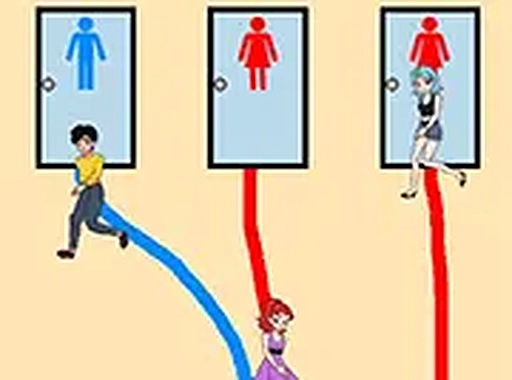
One Line Logic Puzzle is a thinking game that asks players to draw a single continuous line to solve each level. The core objective varies across different mini-games: you might need to cover every segment of a path, connect matching colored dots, or guide objects to specific targets. The key rule is that the line must be continuous and cannot cross itself. This simple constraint creates a wide range of challenges that test spatial reasoning and planning. The minimalist design and lack of time pressure make for a calm, focused experience suitable for all ages. The game offers a fresh take on logic puzzles by combining the one-line rule with several mini-games, providing variety and replayability.
How to Play
Players use their mouse or finger to draw a single line on the screen. The goal changes depending on the mini-game: you might need to cover every segment of a path, connect colored dots, or collect all objects. The line must be continuous and cannot cross itself. You can undo or restart a level if you make a mistake. As you progress, obstacles like barriers or limited space require more careful planning. The controls are responsive and provide clear visual feedback when a puzzle is solved.
Game Features
The game includes six unique mini-games that provide variety and replayability. The one-line mechanic is simple to learn but hard to master. There is no timer, allowing relaxed, thoughtful play. The design is clean and minimal, reducing visual distractions. The game is family-friendly and suitable for both children and adults. No downloads are needed—it runs instantly in a web browser with mouse or touch controls.
Tips for Success
Plan your route before you start drawing to avoid getting stuck. Take advantage of the undo feature to experiment with different paths. Practice regularly to improve your spatial reasoning and pattern recognition. Focus on the overall shape of the puzzle rather than small details. If you get stuck, step away and return with fresh eyes—sometimes a short break helps you see the solution more clearly.
Compatibility
✅ Works on PC & Mobile | Recommended: Chrome / Safari / Edge







Comments
0 comments