Launch Mechanics
Shell Sky Launcher centers on a straightforward but engaging premise: aim a cannon and fire a turtle into the sky. The challenge lies in finding the right combination of angle and power. Each attempt feels different because the physics simulation responds to even small adjustments. Players quickly learn that a low angle sends the turtle skimming across the ground, while a steeper angle gives more height but may reduce overall distance. The game rewards experimentation and a steady hand.
Boost System
Mid-flight, players can activate temporary boosts that give the turtle an extra push. These boosts appear as floating icons or are earned through specific actions during the launch. Timing is everything: using a boost too early may waste its effect, while waiting too long might mean missing a crucial opportunity. The boost system adds a layer of strategy without complicating the core experience. It encourages players to think ahead and adapt to each unique flight path.
Visual Style and Atmosphere
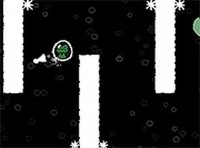
The game presents a bright, cartoonish world filled with soft clouds, gentle gradients, and cheerful colors. The turtle character is designed to be cute and non-threatening, appealing to younger players and those looking for a stress-free activity. Background animations, such as drifting clouds and twinkling stars, create a calming backdrop. The sound effects are light and playful, reinforcing the game's family-friendly tone without becoming distracting.
Progression and Replay Value
After each launch, the game displays the distance traveled, allowing players to track their personal bests. There is no complex level system or unlockable content; the motivation comes from beating your own record or challenging friends informally. This simple progression loop makes Shell Sky Launcher ideal for short play sessions. Players can return anytime to see if they can improve their score, making the game easy to pick up for a few minutes at a time.
Accessibility and Platform
Shell Sky Launcher runs directly in any modern web browser without requiring downloads or installations. The controls work with both mouse and touch input, making it playable on desktop computers, tablets, and smartphones. The interface is minimal, with clear buttons and on-screen instructions. This accessibility ensures that players of all ages and technical skill levels can start playing immediately, with no setup or learning curve.
✅ Compatibility & Testing
• Desktop (Windows 11, macOS Ventura)
• Mobile (iPhone 14, Samsung Galaxy S23)
• Tablet (iPad Pro, Android tablet)
✅Supported browsers: Chrome, Safari, Edge, Firefox (latest versions)
❌ Not supported: Internet Explorer, older browser versions











Comments
0 comments